Are you still scrambling to finish up your Christmas shopping? It may be too late for most online shopping options this year. But with a few craft or cooking supplies and a couple tutorials, you’ll be able to cross off the last few names on your list.
[Disclaimer: I will receive compensation for writing this post. Many of the links are affiliate links. All opinions are 100% my own.]
Some of you may remember me mentioning Grammarly back in the fall. I didn’t start using the Grammarly app until shortly after I’d started this blog in June. It blows my mind that I spent years and years freelance writing without this app. It’s been a complete game changer. I have always prided myself on taking grammar seriously. But Grammarly has helped me fine tune my grammar, taking my skills up a notch and helping me make a lot fewer errors.
How does it work?
Grammarly is the world’s most accurate grammar checker. And it’s free! Signing up for a new account is simple and straightforward. Once you have your account, most likely you’ll want to take the following two steps.
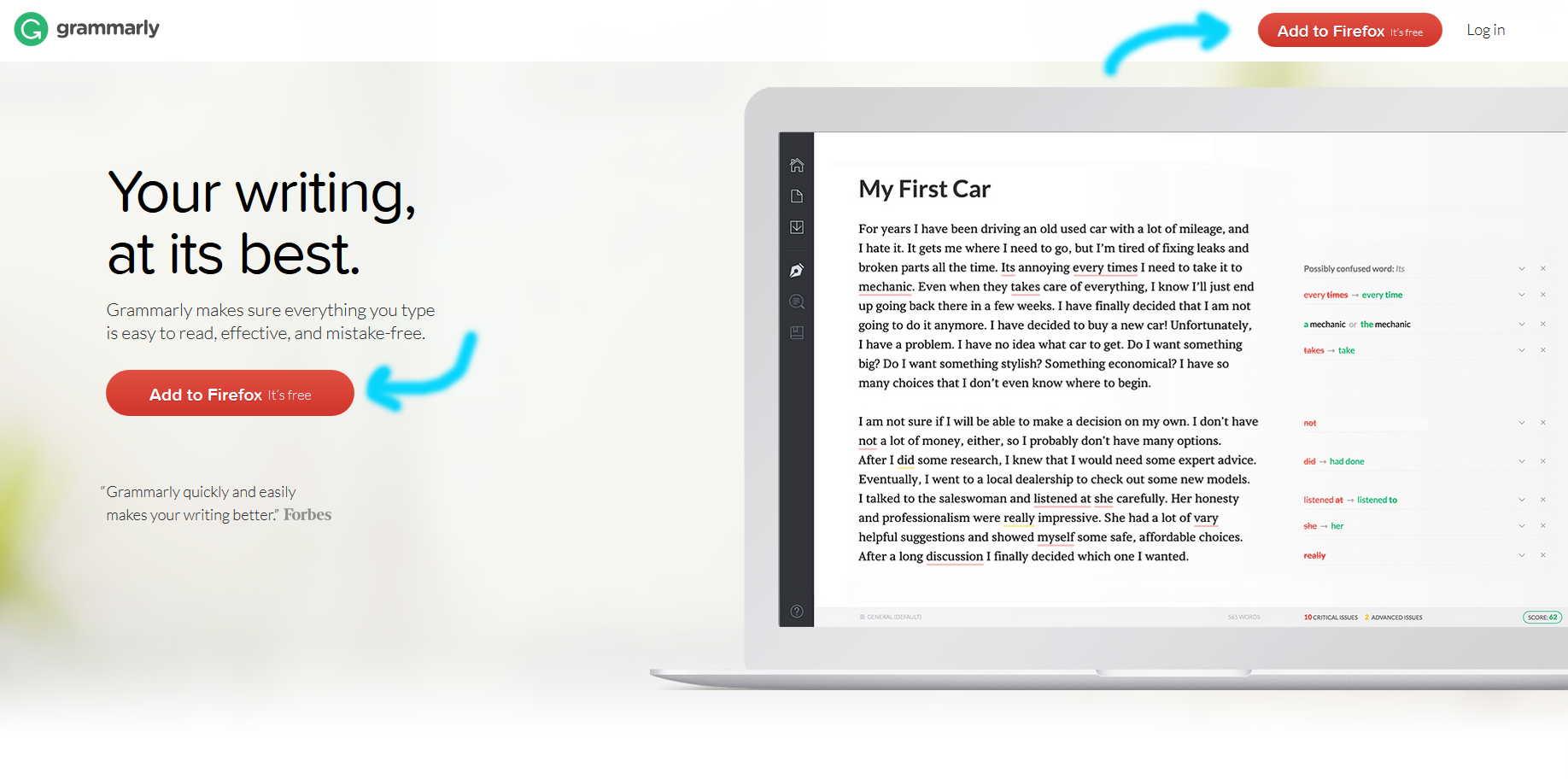
Add Grammarly to Firefox. I rely on Grammarly in Firefox to proof my blog posts, emails, social media posts, and much more. On the main Grammarly page, you’ll see a couple of red buttons with the text “Add to Firefox. It’s free.” Click on one of these buttons and follow the instructions to add the Grammarly plugin to Firefox. You can also download the Firefox plugin directly from Mozilla.
Add Grammarly to Microsoft Office. I complete the vast majority of my freelance writing work in Microsoft Office. It’s critical that this content is polished and professional. The free Grammarly Microsoft Office plugin is available right here.
(optional) Add Grammarly to Windows. Personally, I don’t use the Grammarly Windows plugin, but it’s another great option Grammarly offers for their proofreading services. Grammarly Windows is available right here. Once you’ve installed it, you simply drag a document you’d like to proofread into Grammarly.
But I can run the spellchecker program in Microsoft Office and WordPress. Plus, as a blogger, I believe my writers relate to my conversational writing style, which means grammar isn’t very important. Why should I run Grammarly, too?
First, a conversational writing style isn’t ever an excuse for poor grammar. Yes, for most blog writing styles, it’s okay to use the occasional sentence fragment, run-on sentence, sentence that ends with a preposition, etc. It’s not okay to make basic grammatical mistakes, such as using “there” instead of “they’re.” It’s not okay to skip proofreading. Publishing without proofreading means you’re probably going to have words misspelled, words missing from sentences, and whole phrases or sentences repeated from a sloppy copy and paste. I wish I were exaggerating, but I see these type of mistakes from bloggers pulling in six- and seven-figure monthly views all the time. Proofreading your work and running a basic spell check before hitting publish is really important. Running Grammarly is even better.
Second, Grammarly offers a lot more than the basic spellcheck you’ll find in Microsoft Office or WordPress. I leave on the Office spelling and grammar checks, which means I see how much more Grammarly catches. The first time you run both programs after writing a post or article, you’ll be blown away.
Grammarly corrects more than 250 types of grammatical mistakes as well as numerous contextual spelling errors and poor vocabulary choices. The more you’re aware of the common errors you make while writing, the more likely you are to catch your mistakes and correct them before Grammarly does.
Is it worth upgrading to Grammarly premium?
Grammarly Premium offers over 100 additional grammar and spelling checks as well as vocabulary enhancement suggestions, genre-specific writing style checks, and plagiarism detection. The plagiarism detector scans over 8 billion web pages.
If you’re brand new to Grammarly, I recommend trying the free version. You’ll get a feel for the app and decide if it fits your writing style and needs before you put down any money. You can upgrade at any time. I took advantage of a Cyber Monday sale and purchased Premium for about 60% off. Once you’re a Grammarly user, you’ll get notifications of sales and can wait for a discount for your upgrade. As of writing this post, I’ve been using the Premium version for about a month and have been really happy with it. For the amount of writing I do weekly, I feel the upgrades are worth it.
Does Grammarly offer any nerdy writing and grammar statistics?
In my first mention of Grammarly on this blog, I briefly discussed the weekly email Grammarly sends with writing and grammar statistics. I’m not going to lie; I always look forward to it.
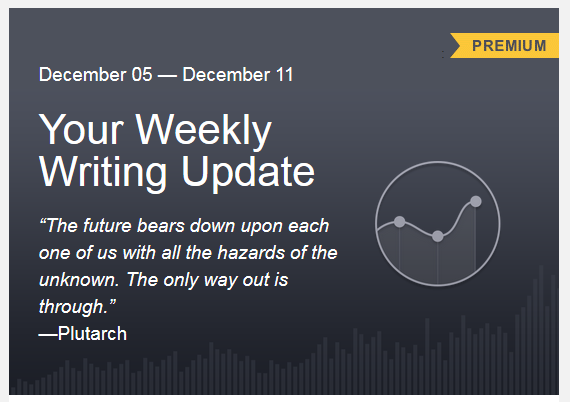
Each email starts out with a quote. There’s a new quote each week.
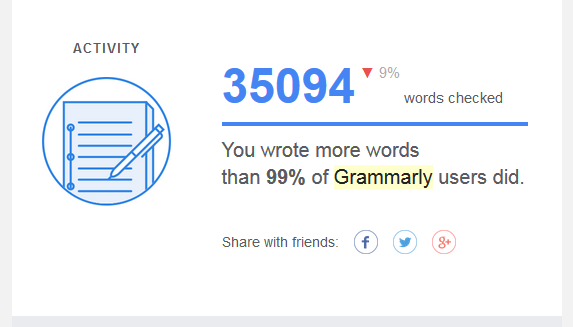
The first statistic is Activity or the number of words you wrote this past week. I consistently average above 30,000 words.
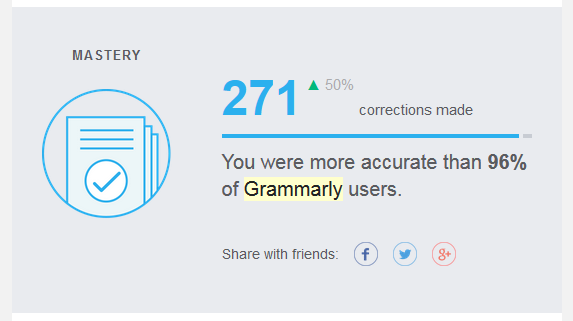
The second statistic is Mastery or the number of corrections you made with Grammarly over the past week. This statistic varies the most for me. Some weeks, I’m around 150 errors corrected while other weeks, I’m close to 300 errors corrected.
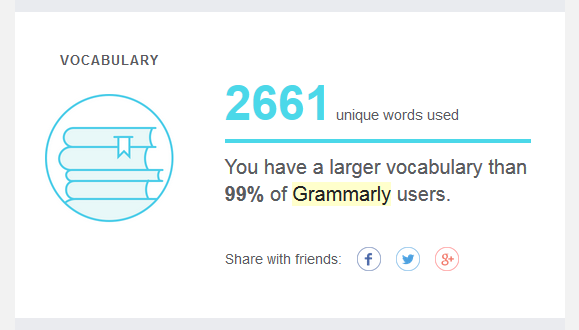
The third statistic is the Vocabulary, which is pretty straightforward. I average over 2,000 unique words per week.
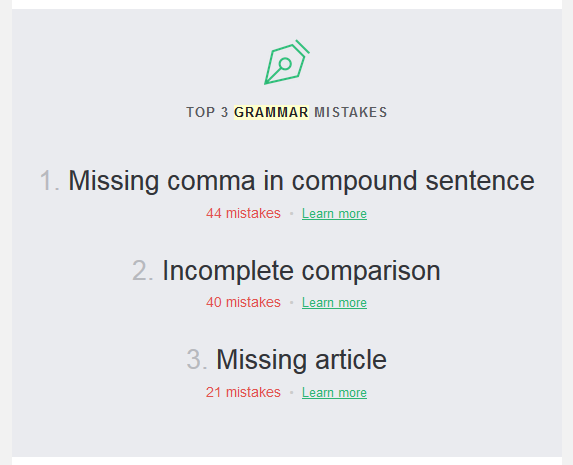
You’ll also receive a short summary of your top three mistakes for the past week.
The email concludes with a writing tip and a short summary of the Grammarly apps you’re currently using with links to install any apps you’re not currently using.
Are there any other perks of using the Grammarly app?
The final component of Grammarly I want to mention is their other periodic emails. From time to time, Grammarly shares a blog post digest with writing-related articles and other tidbits. Some of you may have seen my post on Facebook last week, sharing 3 Trends That Will Dominate English Writing in 2017. Of course, you can access the Grammarly blog at any time, but I like getting the emails.
Getting started with Grammarly is completely free. You’ll be able to start using their proofreading services within minutes of signing up for an account.
If you decide to give it a try, I’d love to hear what you think. Please leave your thoughts in the comments!
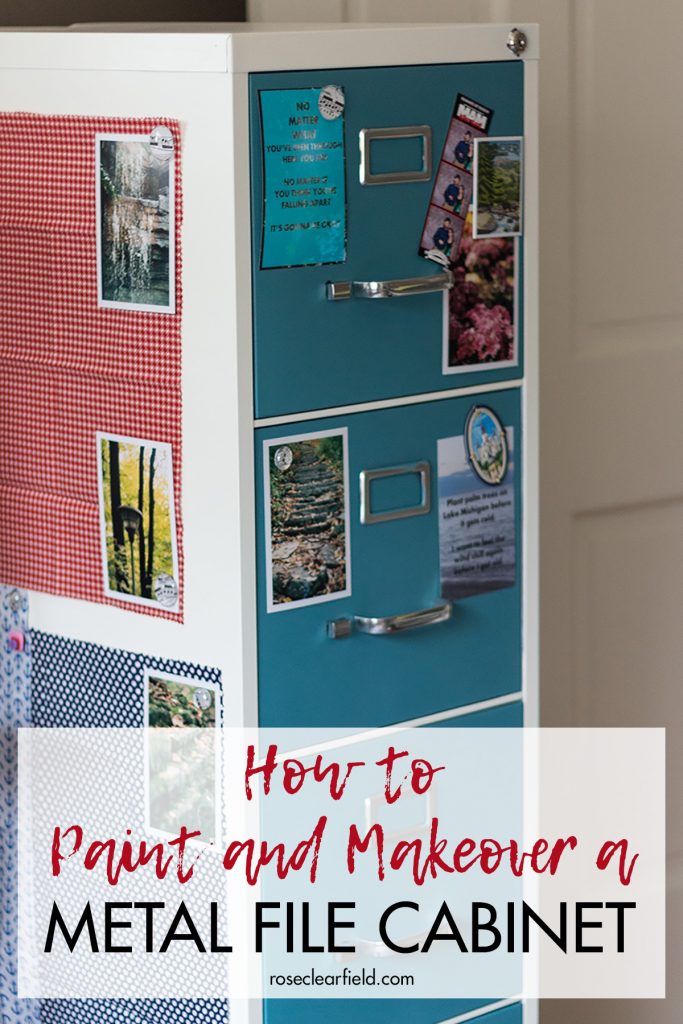
Painting and making over a metal file cabinet is an easy, fun way to transform an ugly black cabinet into a beautiful, decorated cabinet. It’s perfect for a classroom or home office.
Following the fall trend, winter weather has been slow coming this year. This November actually finished as the 2nd warmest November on record for this area. Until the week of Thanksgiving, it wasn’t even hitting freezing temperatures at night. As such, the transition to winter fashion has been slow, which is just fine with me. We still have many months to enjoy wearing sweaters, coats, and boots.
I’m sure some of you will find my inspiration pictures a little funny. Wisconsin winters are cold. I wear a parka, not a North Face jacket, from mid-October through March, sometimes even later. I wanted to find stylish images of women wearing real winter gear, not flats with thin sweaters. Easier said than done. But I’m happy with the casual winter fashion images that I’m sharing with you today. At the end of the post, I’ve also included a few top picks for those who are taking advantage of holiday sales to fill out their own winter wardrobes while also picking up items for family and friends.
Over the weekend, we had our first major snowfall of the 16-17 winter. I’ve been on the beaches in southeast WI in the winter plenty of times. But I had never been on the beach, watching Lake Michigan, as it was snowing. Needless to say, it was a very neat experience. The views were so different from what you’ll see during the spring, summer, or fall (remember the rainbow I saw back in September?).